


IST PRO
FAQs
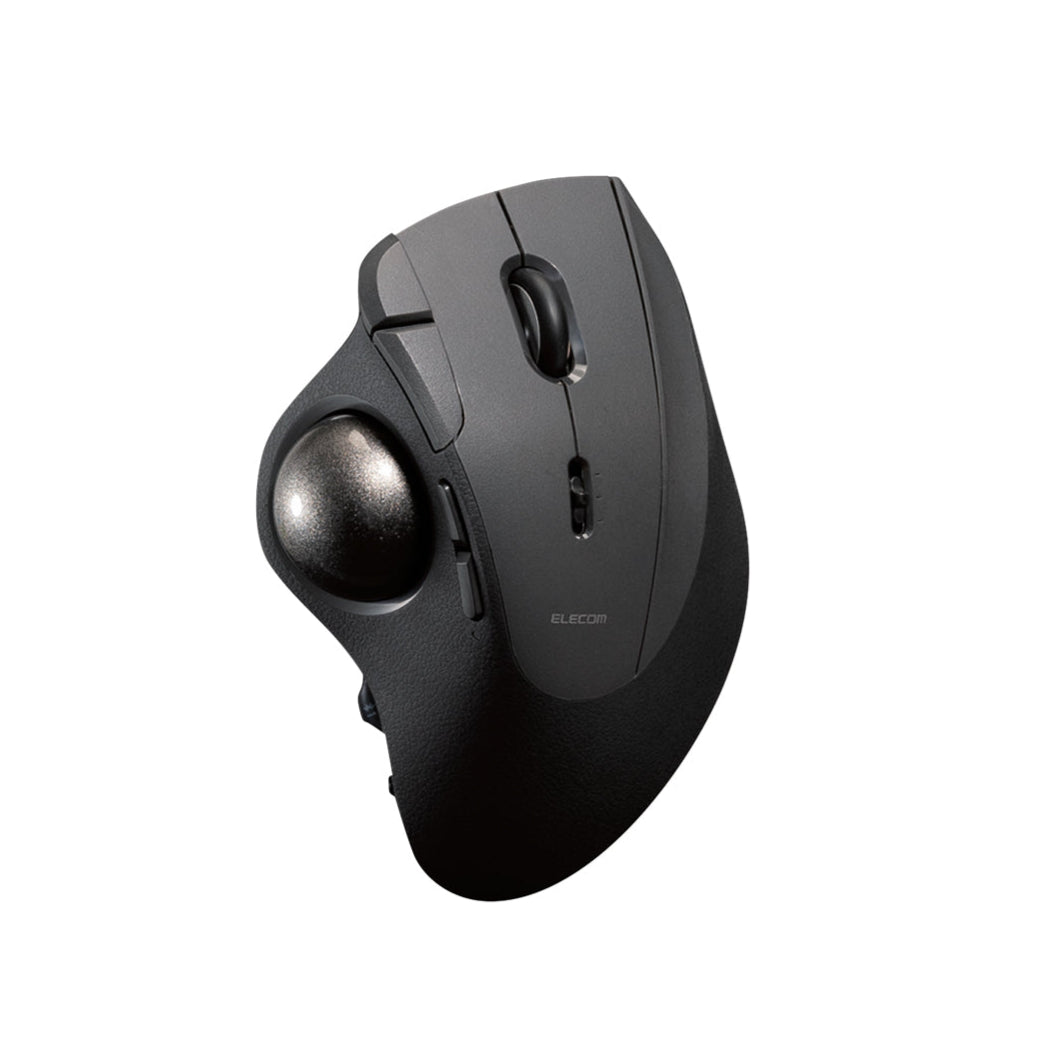


10-button multi-device thumb trackball with a gaming-grade sensor

OPEN BOX: Please Read
This IST PRO is an open box unit. It may show light scratches, scuffs, or minor signs of handling or light use. These marks are cosmetic only and don’t affect how the trackball works. Each unit has been inspected and tested to make sure it works fully. Original packaging may be opened or show some wear.
IST PRO is our most capable thumb trackball, built to handle a full workflow from one hand. It has 10 programmable controls, including three function buttons and a tilt wheel, so copy, paste, undo, app switching and side scrolling all sit under your fingers. The hands-open shape lets your palm rest naturally with no gripping.
Inside, a PixArt PAW3311DB gaming sensor and a report rate of up to 1000Hz keep the cursor locked to the 36mm ball. Pick Low, Mid or High speed with one button, or fine-tune anywhere from 100 to 12,000 DPI in 100 DPI steps. Precision bearings from MinebeaMitsumi give the ball a light, floating glide.
Register up to six devices across Bluetooth, the 2.4GHz receiver and USB-C cable, then turn the dial on the side to switch without lifting your hand. Power it the way you like: plug in, drop in two AA batteries or add the optional M-BP10 rechargeable battery pack. Every button uses a silent switch, so it stays quiet in meetings and late at night.
Model: M-IPT10MRSABK

Left, right and middle click, back and forward, three function buttons and a tilt wheel. Map any of them in ELECOM Mouse Assistant, including a function button your ring finger can reach.

The PixArt PAW3311DB sensor and a 1000Hz report rate keep the cursor locked to the ball. Pick Low, Mid or High speed on the fly, or fine-tune anywhere from 100 to 12,000 DPI.

Turn the dial on the side to jump between computers, tablets and phones without lifting your hand. Your button settings stay the same on every device.
IST PRO
FAQs
Is IST PRO compatible with Mac and Windows?
Yes. It works with Windows, macOS and ChromeOS over the receiver, Bluetooth or cable. iPad, iPhone and Android connect over Bluetooth.
Does the button software work on Mac?
Yes. ELECOM Mouse Assistant has a Mac version that supports macOS Ventura and later. Download it free from the ELECOM website and remap buttons the same way you would on Windows.
Do I need to charge it?
Only if you want to. It runs on two AA batteries (included), on USB power through the cable, or on the M-BP10 rechargeable battery pack, sold separately. Rechargeable NiMH AA batteries aren't supported.
How many devices can I connect?
Up to six: two over Bluetooth, one over the receiver, one by cable and two custom slots you can set to Bluetooth or 2.4GHz. Turn the side dial to switch.
Is IST PRO good for gaming?
Yes. The PixArt PAW3311DB sensor and up to 1000Hz report rate give it gaming-grade tracking, and 10 programmable buttons give you room for game shortcuts.
Can I customize the buttons and DPI?
Yes. ELECOM Mouse Assistant lets you assign functions to all 10 controls, set DPI from 100 to 12,000 and save up to three profiles on the trackball.
Are the clicks quiet?
Yes. The left and right buttons use silent switches developed by Panasonic, and the other buttons use silent switches too.
What size replacement ball do I need?
IST PRO uses a 36mm ball. Replacement ball M-B10SV is sold separately.
Are the bearings swappable?
Yes. The support unit comes out easily. Replacement bearing units (M-BS10) and artificial ruby units (M-RS10) are sold separately.
Can a trackball help with wrist strain?
A trackball stays in one place, so your arm and wrist don't have to slide it around the desk. Many people find that more comfortable over long workdays. It isn't a medical device, so talk to a doctor about any ongoing pain.